

Recurring appointments are appointments or meetings that occur at regular intervals, such as every day, every week, or every month. Recurring appointments can be used in calendars to help save time and effort when scheduling regular meetings or appointments. Instead of creating a new appointment for each occurrence, a single recurring appointment can be set up to cover multiple occurrences. This can be especially useful for appointments that happen on a regular schedule, such as weekly meetings or monthly check-ins.
How can we set up a Recurring Appointments Calendar?
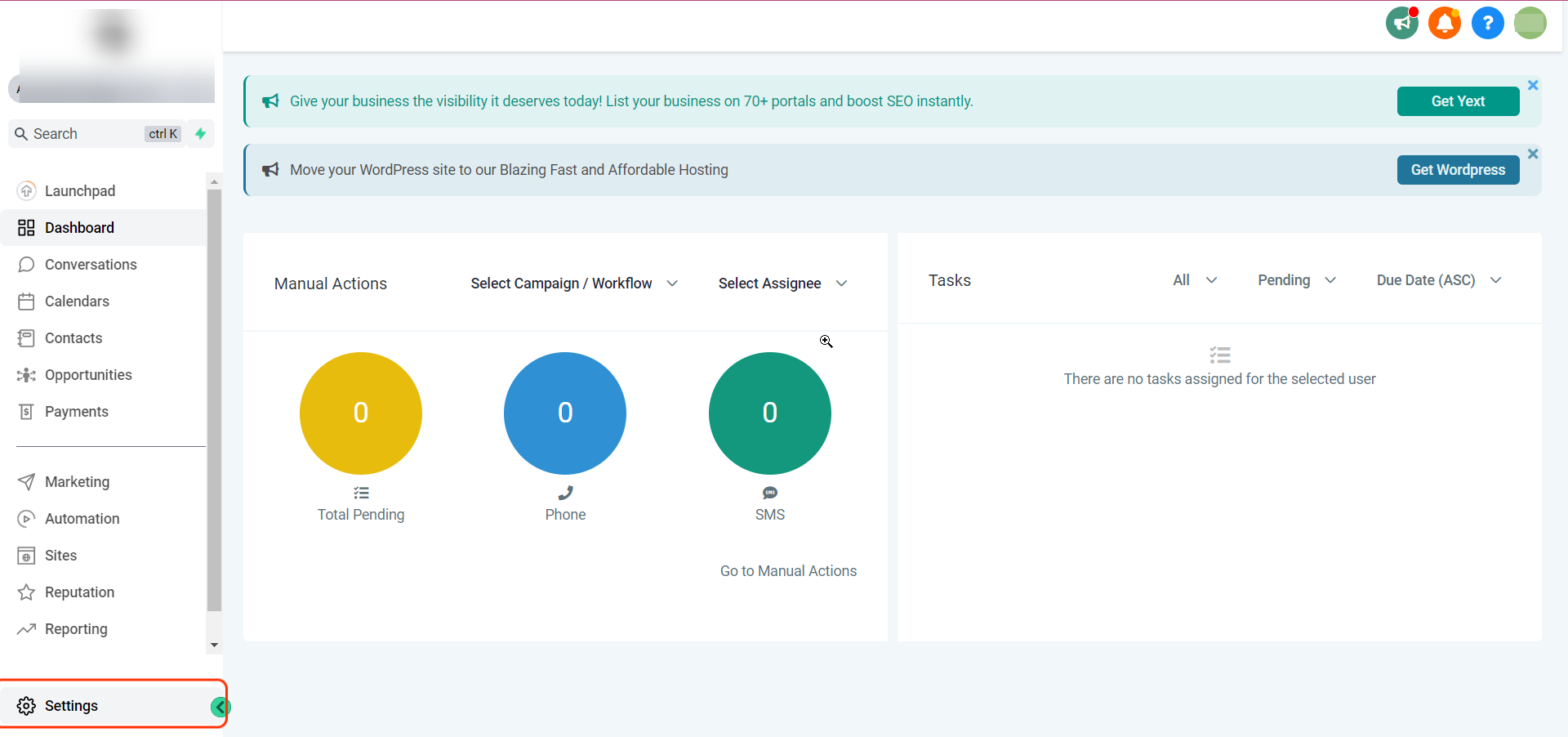
Click on Settings
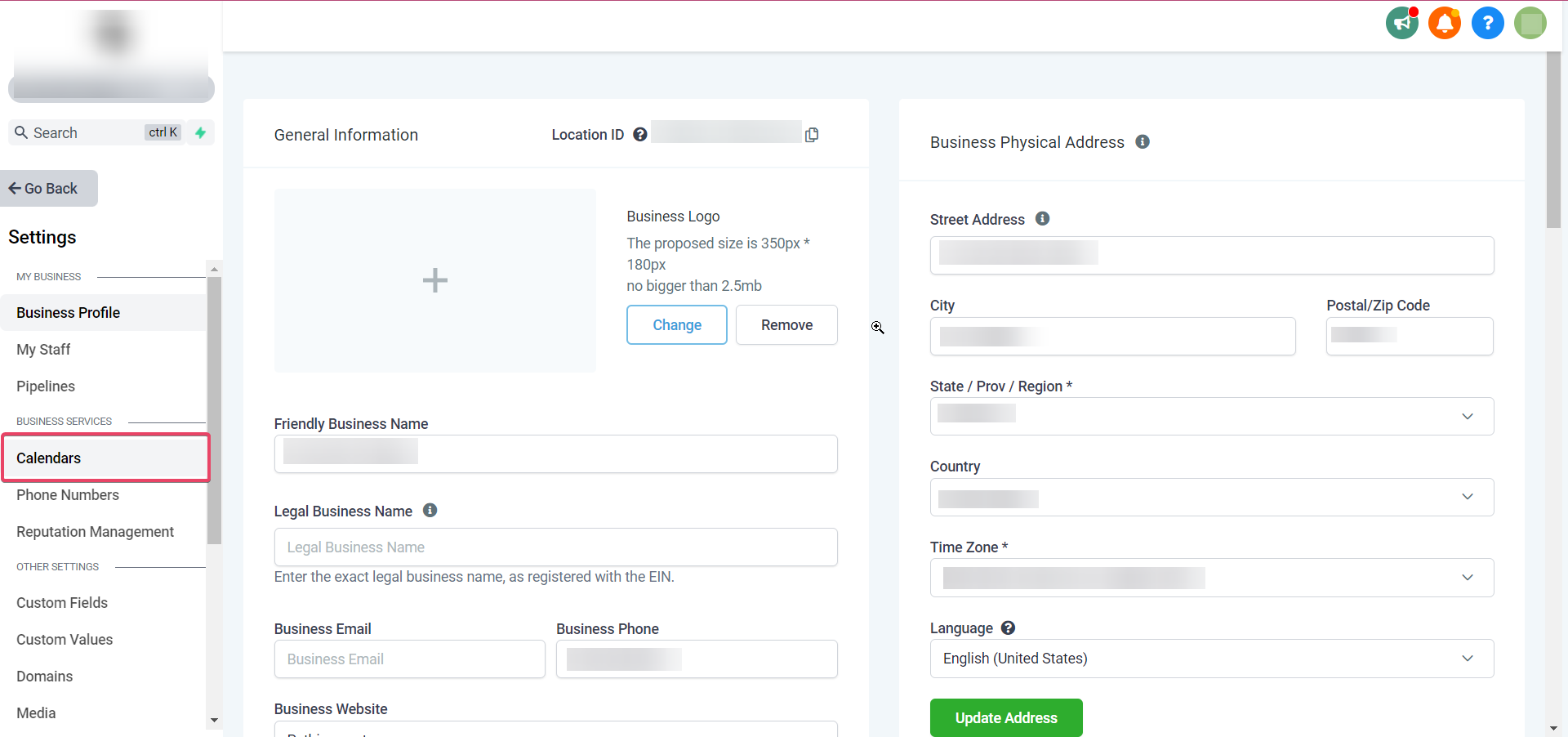
Click on Calendars
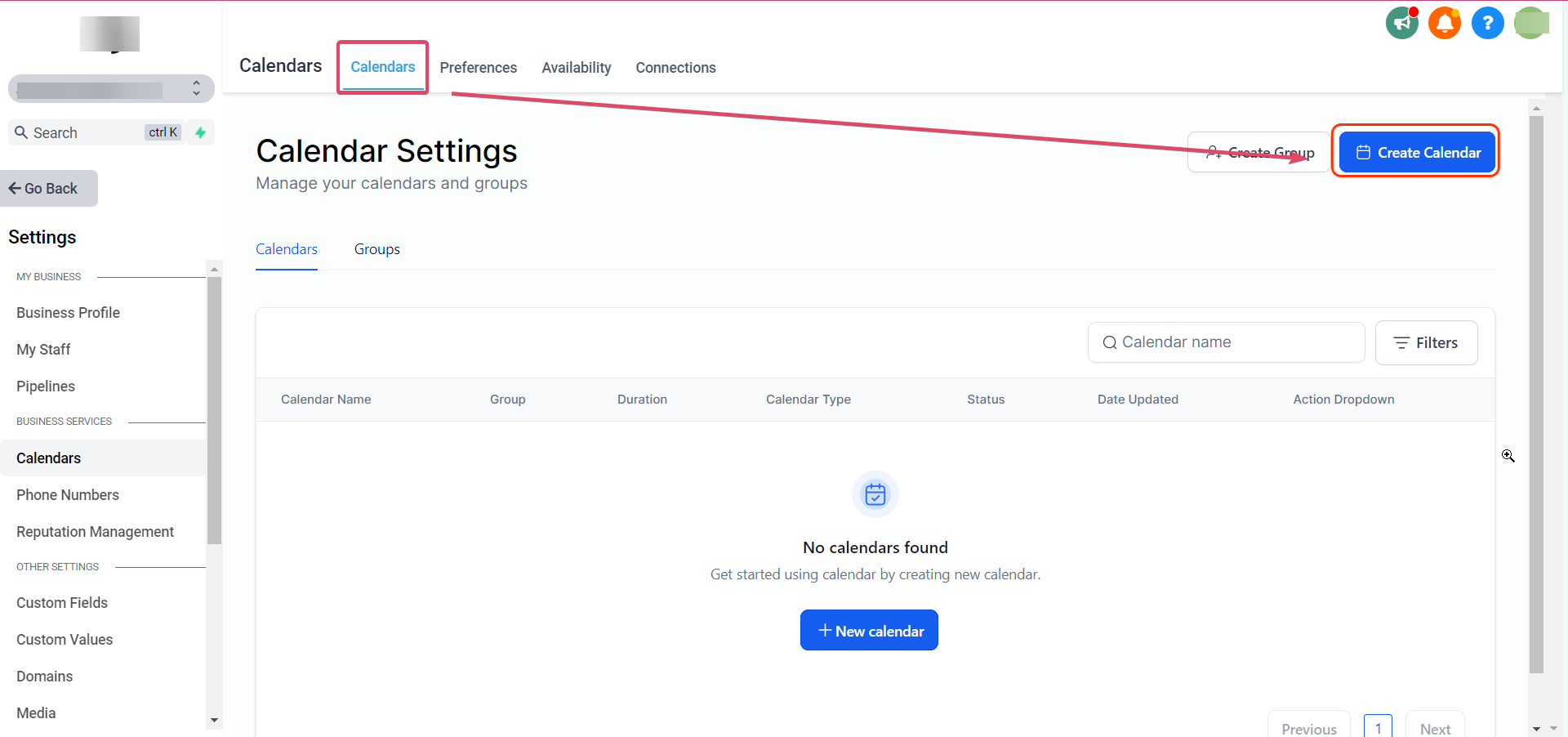
Click on Create Calendar
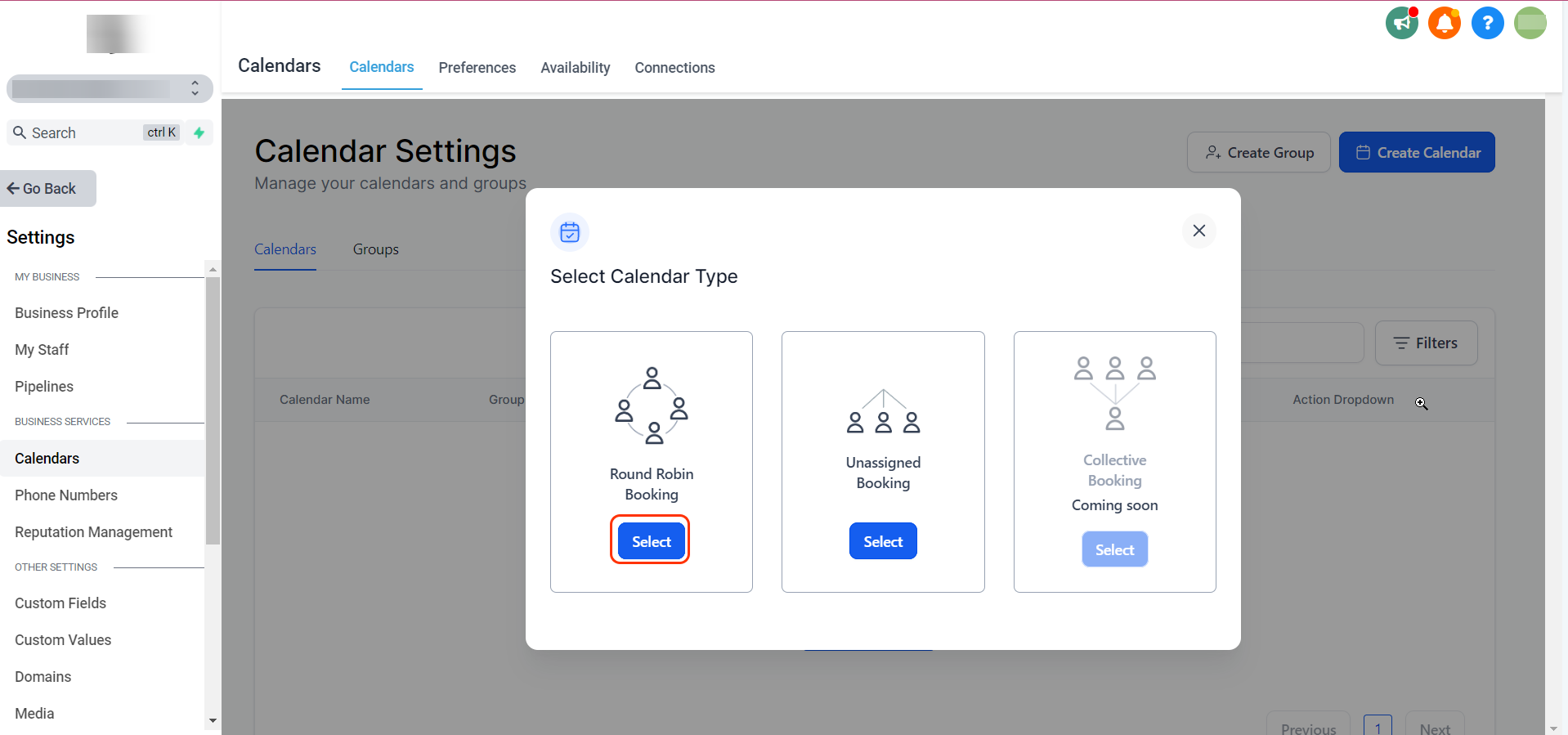
Click on Select Under Round Robin Booking
Please Note
All calendar types support recurring appointments. The only difference is that if you picked Round-robin, there must be a maximum of 1 user or team member on the calendar.
In the Availability Tab, Toggle on Recurring Appointments:
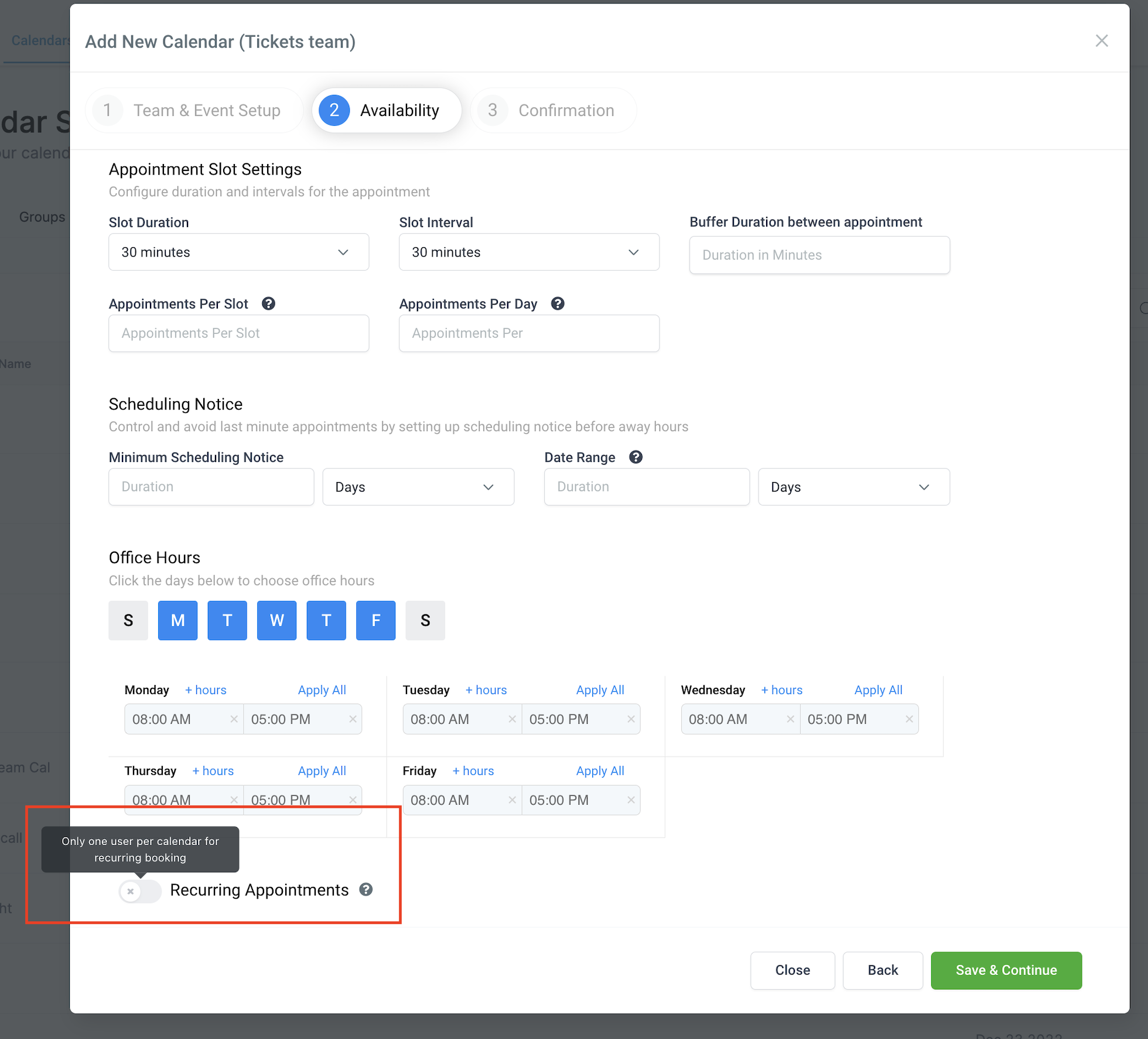
Once you toggle on the Recurring Appointments, you can see the recurring appointments settings and select the settings based on your use case.
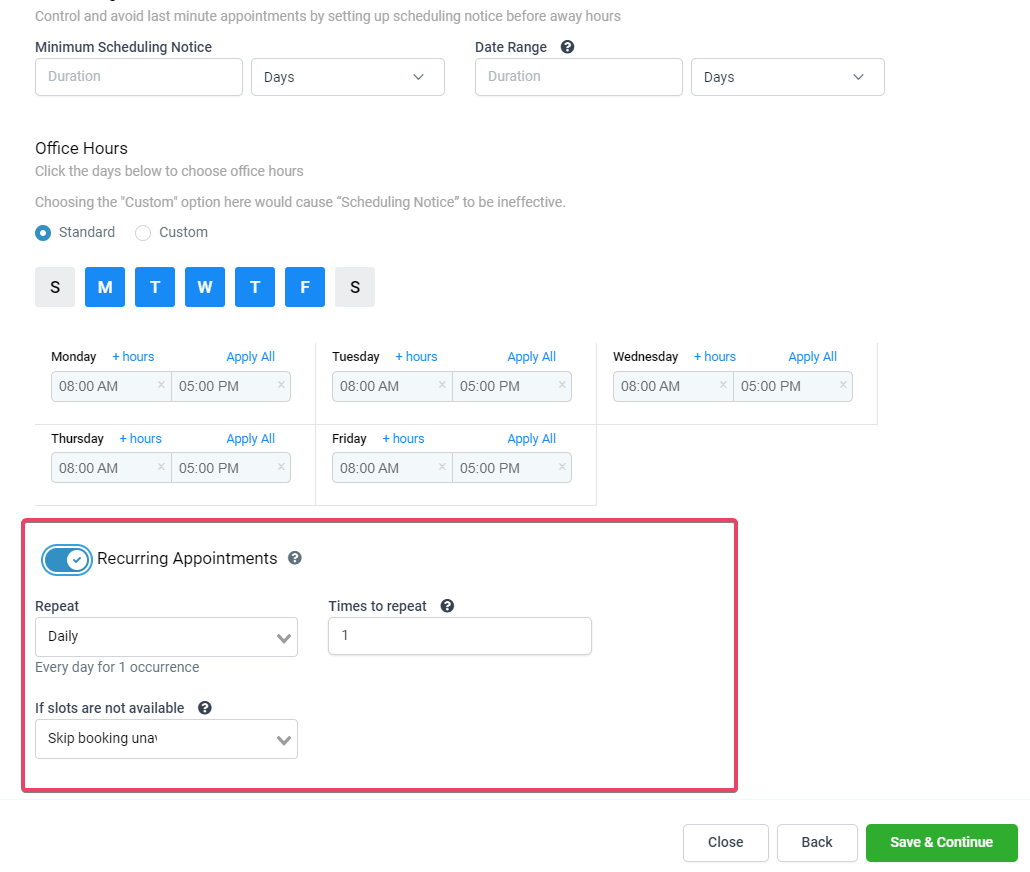
You have three options in the If slots are not available dropdown:
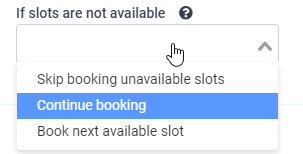
This means that if there is another appointment or event already booked for the intended slot, then the user has the following options:
Continue Booking
In the dropdown for "If slots are not available," if you choose Continue Booking, you will get an additional dropdown asking you what to do in cases where double bookings happen for that case:
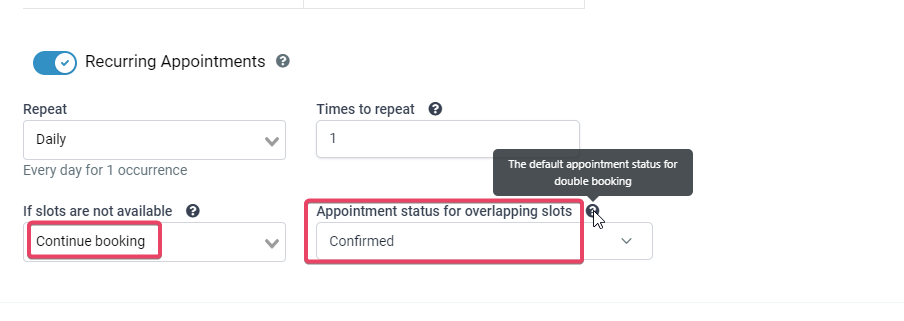
Choosing Continue Booking means you are allowing the calendar to double-book the slot.
Skip booking Unavailable slot.
That means book ONLY the available slots and ignore the rest.
Book the Next Available Slot.
That simply means booking the reoccurrences regardless of how far out in the future the calendar needs to scout for available slots.
Please Note
We check only until the next 3 slots for availability, if unavailable we drop the booking.If available we continue and complete all reoccurrences. User should be careful when selecting the recurring booking option (book next vs skip booking vs continue booking).
Recurring appointments can only be booked for standard slots (for custom slots, we do not display a recurring booking option). Users will not be able to book recurring appointments from the opportunities page. The recurring calendars will be available in the drop-down to book, but only for a single time slot.
FAQ
Will the already existing workflow trigger steps fire for Recurring appointments?
No, they won't. We have added some new filters for the Appointment Trigger steps. So, all your configured triggers will need a new filter added to your Workflow Trigger Steps.
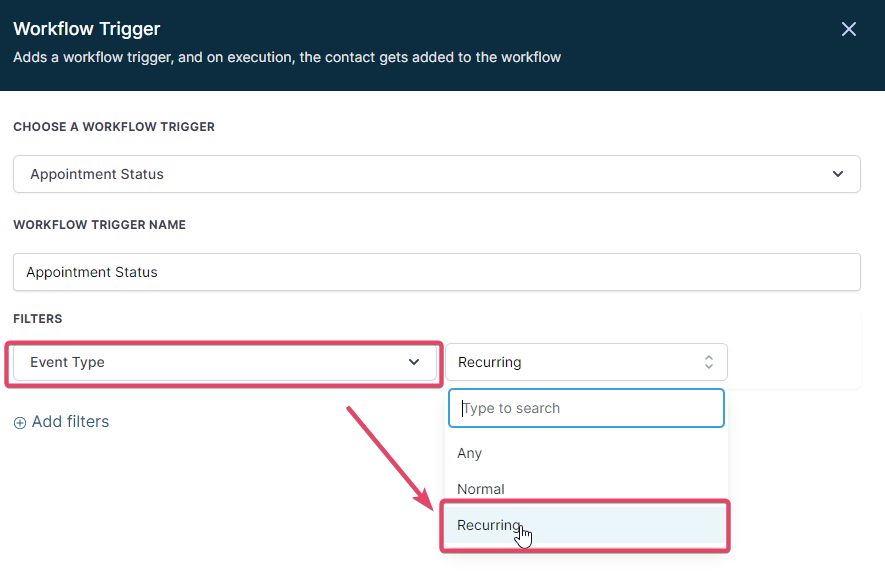
We added a new Event Type Filter in the appointment trigger step, so now you can control the workflow triggers that can fire for the type of your appointments. Choose Recurring as the Event type if you want the Workflow Trigger to only fire for Recurring Appointments.
For all the existing Appointment Status triggers in your account, we have added a new Filter by default. The filter is Event Type: Normal. It does not fire off for Recurring Appointments.
Event Type: Normal
So, if you select this filter, the regular appointments (which aren't recurring) and all your existing non-recurring appointments would be considered normal. It will work the same way now.
Event Type: Recurring
If you select this filter, the trigger will fire only for the appointments booked in Calendars with the recurring appointment settings turned On.
Event Type: Any
If you select this filter, the trigger will fire for any appointment.
Please Note:
We are deprecating the Customer Booked Appointment Trigger. So now, if you select the Modified By Filter:
Customer: It would work the same as the Customer Booked Appointment, so if this filter is added, then appointments booked by the customer, i.e., if the appointment is booked from the widget, then only this would fire.
User: All appointments booked inside the system or from any other source other than the widget would fire the appointment.
API: Works only for appointments created via API.
Can users bulk update Appointments?
Users cannot bulk update Recurring appointments (cancel or reschedule).
Can the exact meeting location be used for all recurring appointments?
If the meeting location is Zoom or Google Meet, all recurring appointments will have different meeting URLs, as the system generates a dynamic meeting URL for each meeting by default.
How do the recurring events get synced over to integrated calendars?
If sync is turned on - events are synced as individual events with the third-party calendars.
How can payments be charged for Recurring appointments?
Payments are currently unavailable for calendars with recurring turned on.


